This is an old revision of the document!
IKEv2+IPsec (StrongSwan) Support in APdesk and MESHdesk
MESHdesk Firmware
- The MESHdesk firmware includes support for IKEv2+IPsec since Jan 2026.
- When you build the firmware make sure you include:
- Network → VPN → StrongSwan → strongswan-defaul (Meta Package)
- Network → xfrm (Needed for route based IPsec)
- To make those packages appear in the available list of packages you need to insall them into the SDK
./scripts/feeds install strongswan
./scripts/feeds install xfrm
- Note that StrongSwan might not fit on devices with limited flash.
- Fortunately OpenWrt can also be running as a VM.
- In our setup we created a virtual setup in VirtualBox and ran an OpenWrt instance which are then configured using APdesk
Defining a IKEv2+IPsec per AP
- See the screenshot below and the discussion which follows on the various items required:
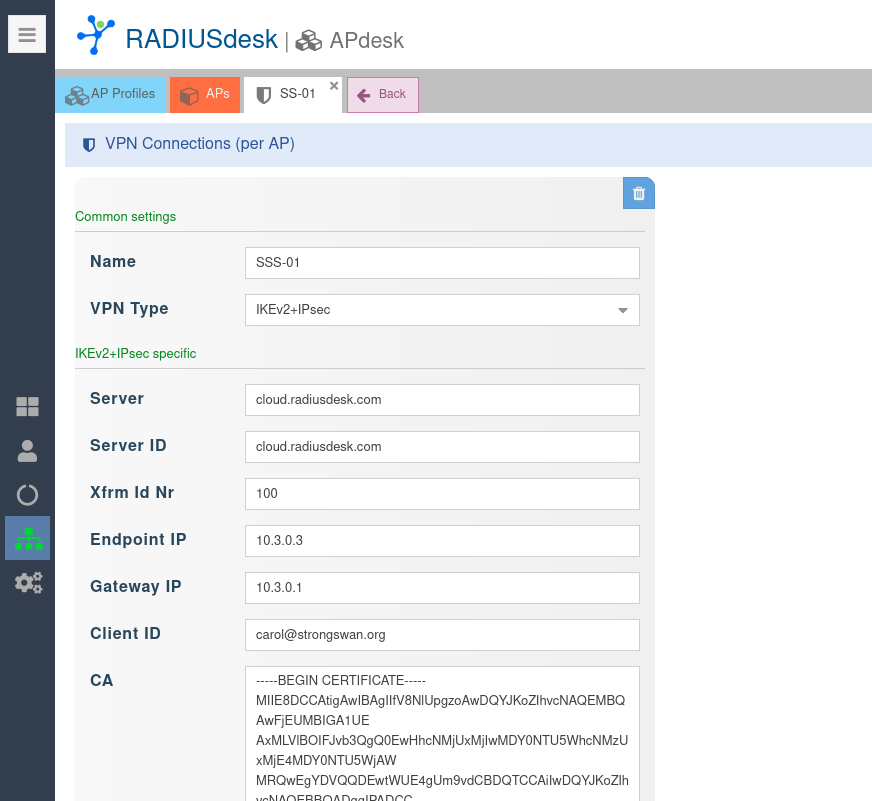
Required Items
| Item | Description | Comment |
|---|---|---|
| Name | Descriptive name for VPN connection | |
| VPN Type | IKEv2+IPsec | |
| Server | FQDN or IP Addres of StrongSwan server | |
| Server ID | Unique ID when server cert was generated | In our case it was - -san cloud.radiusdesk.com |
| Xfrm Id Nr | Match if_id_* configured on the server | |
| Endpoint IP | Unique ID per Client when cert is created | In our case it was - -san carol@strongswan.org |
| Gateway IP | The IP Address from server prep script | |
| CA | CA certificate we created earlier | |
| Certificate | Client certificate we created earlier | |
| Key | Private key used to generate certificate | |
| Proposals | list of cryto proposals | e.g. aes128-sha1-modp2048 |
| ESP Proposals | list of ESP proposals | e.g. aes128-sha1-modp2048 |
Connection Info
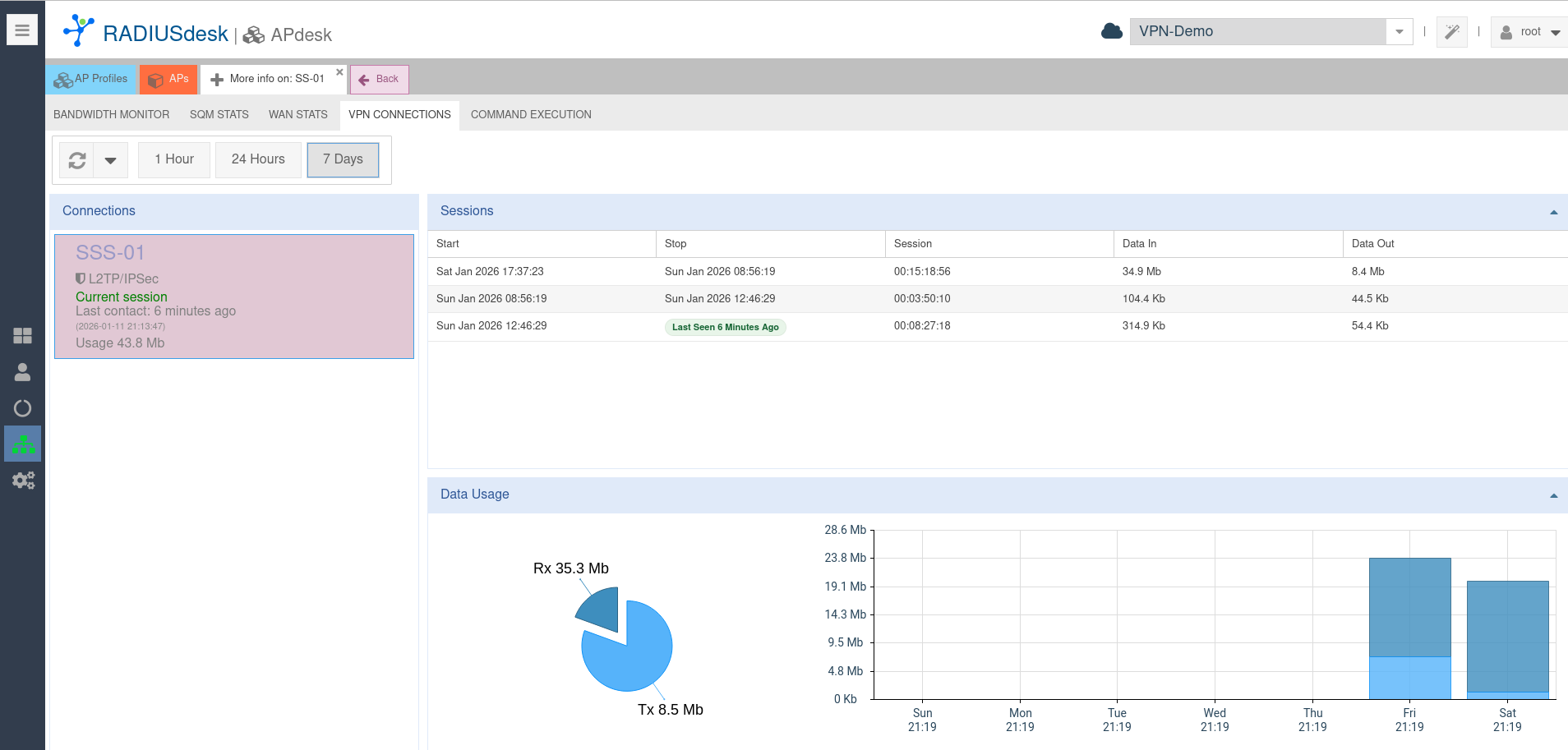
- The MESHdesk firmware records and reports the status and usage in the VPN tunnel.
- See screenshot below: